

January 17, 2017
Locating Values in Large Excel Tables
By Harold Graycar XL Numerics Developer of Excel for Customer Service Professionals The previous post on this topic included a
Read More
January 17, 2017
By Harold Graycar XL Numerics Developer of Excel for Customer Service Professionals The previous post on this topic included a
Read More
January 12, 2017
By Harold Graycar XL Numerics Developer of Excel for Customer Service Professionals When dealing with large tables containing ‘buckets’ of
Read More
January 5, 2017
One of the nice features of Excel Tables is the banded row formatting, which makes it easier to read and
Read More
December 29, 2016
An awesome new feature available in Office 365 are Icons. You’ll find Excel Icons in the Insert tab of the
Read More
December 15, 2016
Survey data can be tricky to display in a chart so in this post I’m going to give you some
Read More
December 7, 2016
Excel Heat maps can speed up interpretation of data and focus the reader’s attention to problem or key areas. And
Read MoreDecember 1, 2016
Slopegraphs were first introduced by Edward Tufte in his book, The visual Display of Quantitative Information (1983) where he referred
Read More
November 17, 2016
Last week I received the following question from André: “I need a formula that will count how many values in
Read More
October 18, 2016
This tutorial is applicable to Excel 2019 onward and with a Microsoft 365 license. In Excel 2019 there are a
Read More
October 18, 2016
This tutorial is applicable to Excel 2019 onward. New in Excel 2019 is the SWITCH function. It looks up a
Read MoreOctober 14, 2016
A couple of days ago I sent out a survey about the name of an argument in one of the
Read More
October 7, 2016
In Excel 2007, Microsoft thought it would be a good idea to increase the number of times you can nest
Read More
September 28, 2016
Using Excel Styles in your workbooks can not only make formatting them quicker and easier, but also result in more
Read More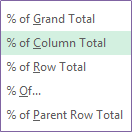
September 7, 2016
The Excel PivotTable Show Values As menu has a load of handy instant calculations you can use. For example you
Read More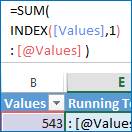
September 1, 2016
There are a few ways to approach a running total formula, but Excel Tables require something special, or you're likely
Read More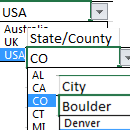
August 16, 2016
I’ve written about how to create dependent data validation lists before here; Excel Data Validation with dependent lists, and here;
Read More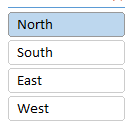
August 11, 2016
Slicers are a great tool for easily filtering PivotTables and Pivot Charts, but what if you want to use a
Read More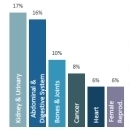
August 3, 2016
I was reading a health magazine last week and the chart below caught my eye. click image to enlarge (sorry
Read More
July 12, 2016
The Excel Clipboard is an extremely useful tool that’s very well hidden. Most of us are familiar with being able
Read More
July 5, 2016
PivotTables are a great way to summarise your data, but PivotCharts can be a pain in the, um, neck. PivotChart
Read More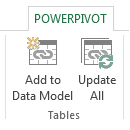
June 22, 2016
If you use Excel PivotTables then you’re probably familiar with the need to consolidate data from multiple tables into a
Read More
June 1, 2016
Since VLOOKUP is one of the most popular Excel functions it makes sense that one of the first things you
Read More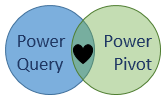
May 25, 2016
One of the most common questions I get is, what’s the difference between Power Query and Power Pivot and when
Read More
May 18, 2016
For many people when they think of a chart that shows parts to a whole, a pie chart is the
Read More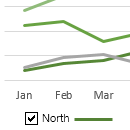
May 10, 2016
Using interactive Excel charts in your dashboards and reports allows the user to pick and choose what they want to
Read More
May 3, 2016
At first glance the CHOOSE function isn’t very exciting and typically you have to team it up with other functions
Read More
April 19, 2016
Excel MROUND function is perfect for rounding numbers to the nearest multiple. For example, last week Brenda said she was
Read More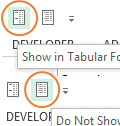
April 11, 2016
In Excel 2007 Microsoft thought they’d get clever and impose nested row labels in our PivotTables: If you’re a PivotTable
Read More
April 11, 2016
If you put a field in the values area of a PivotTable and it defaults to COUNT as opposed to
Read More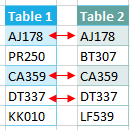
March 29, 2016
A common task in Excel is to compare two lists to identify which items are duplicates, different or missing from
Read More