

November 24, 2020
Dense Ranking in Power Query
There are several ways to rank things, dense ranking is when items that compare equally receive the same ranking number,
Read More
November 24, 2020
There are several ways to rank things, dense ranking is when items that compare equally receive the same ranking number,
Read More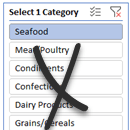
November 19, 2020
There’s no built-in way we can force Excel Slicers to single select, but we can use some crafty tricks to
Read More
November 10, 2020
One of the most common questions I get is: Should I be using Power BI to build dashboards instead of
Read More
November 3, 2020
Demand for data visualisation skills is showing no signs of slowing. There are many BI tools available, and this can
Read More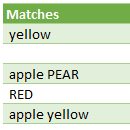
October 29, 2020
My previous post searched for text in columns and returned a true/false result if a match was found. This post
Read More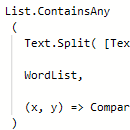
October 22, 2020
Let's say we have a column of text and we want to search it to see if each row contains
Read More
October 15, 2020
What’s the big deal about Power Query? Talk to those who have used it and they’ll tell you how amazing
Read More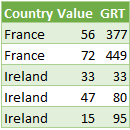
October 7, 2020
In a previous post I looked at creating running totals in Power Query, here I'll be creating grouped running totals.
Read More
October 1, 2020
You may already be familiar with Excel Data Types for geography and stocks, but with Power Query Custom Data types
Read More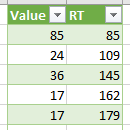
September 24, 2020
A running total (or cumulative sum) is when you add the previous value to the next, basically you're summing values
Read More
September 17, 2020
Custom number format conditions allow you to specify a different format based on the size of a number. In this
Read More
September 3, 2020
If you're familiar with using Excel functions (and of course you should be) then you'll know that a function typically
Read More
August 27, 2020
A new feature in the Excel mobile app (iPhone and Android) is the ability to take a photo of your
Read More
August 20, 2020
I've previously described how to use a form to search for a distinct value, like a unique ID. This time
Read More
August 13, 2020
Office 365/Microsoft 365 users can now import data from a PDF to Excel using Power Query*. It’s super handy for
Read More
August 11, 2020
Reporting on plan v actual variances can be a very dry topic and often the audience for these reports are
Read More
August 6, 2020
My previous post on using Power Query to access API's looked at API's that required either basic or no authorization.
Read More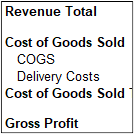
July 30, 2020
Creating an Excel PivotTable Profit and Loss statement is surprisingly easy. And because it’s a PivotTable you can team it
Read More
July 23, 2020
An Application Programming Interface (API) allows a program to retrieve data from a system. A 'program' could be something written
Read More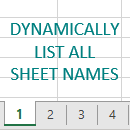
July 16, 2020
Navigating workbooks with lots of sheets can be tedious. In this tutorial I’m going to show you how to dynamically
Read More
July 9, 2020
When you have data that spans a long period of time that you want to plot in a chart, the
Read More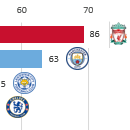
July 3, 2020
If you are going to use animation in your charts, you should do it to enhance the story your data
Read More
June 25, 2020
Using a formula to return a reference to a range of cells allows us to generate a reference on the
Read More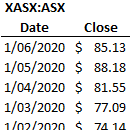
June 18, 2020
With the new Excel STOCKHISTORY function we can finally get historical price data for stocks, bonds, funds, crypto and foreign
Read More
June 11, 2020
The Excel INDEX function is a treasure trove of functionality, but most of us only know one way to use
Read More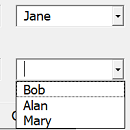
June 4, 2020
Let's say we need to assign staff to work different shifts and no person can work both early and late
Read More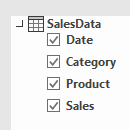
May 27, 2020
If you are using a filter on a 'regular' pivot table (one that isn't using source data from Power Pivot),
Read More
May 13, 2020
Excel Forms are super useful if you collate data manually, for example via email or PDF forms. Or even if
Read More
May 8, 2020
I've previously written about getting real time data (RTD) into Excel using Python. In this post I'm going to chart
Read More
April 30, 2020
Office 365 users now have access to the Visio for Excel free add-in enabling you to create Excel flow charts
Read More