Hi there
I'm working in the Analysis Tab of the attached workbook
O
,I'm creating a Pivot Table Profit and Loss and am wanting to add a calculated field for Net Profit in the Pivot Table. But when I go to select Field Items, nothing displays . No option to add a Calculated Item. Is it because the Pivot Table is too light in Data?
I have added Net Profit manually - but then it is not included in the Pivot Table?
Hoping someone can help
Regards
Chris

Have you by any chance watched Mynda's recent video on P&L dashboards (link below)?
The technique you need is very well described in it. Adding a 'net profit' row to a pivot table requires a Calculated Item. Not a Calculated Field.
You need to select a row in the Category column, though not a blank one between categories, and then hit the 'Field, Items & Sets' button. From there you can add the Item by entering the formula Income + Expenses. I've done that in the attached file. Give it a try yourself.
https://www.myonlinetraininghub.com/excel-profit-loss-dashboard
By the way, I have moved your post to the General Excel space as I believe the 'Main' area is more for announcements and not for Q&A's. Correct me if I'm wrong @philipt

Attached are the screenshots of the sequence I am getting when trying to add a calculated item. I click on the button but there is not an option to select the calculated Item to add?
Is it because there is no data in a field, or the data is too light?
Regards
Chris
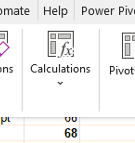
@cbird But you need to look in the 'Calculations' group to find the calculated field or item button!