
Hello
Attached file:
EV CARS: COMPARE & MONITOR RANGE & KW CHARGE COST & TIME
FILE LINK HERE 1MB XLS
It is a FINISHED/COMPLETED (DONE!) workbook, which is good for use for those interested.
After File completion intrigued if other 3D MASS ARRAY alternative to INDIRECT for cross referencing sums of relevant Year Tab!?
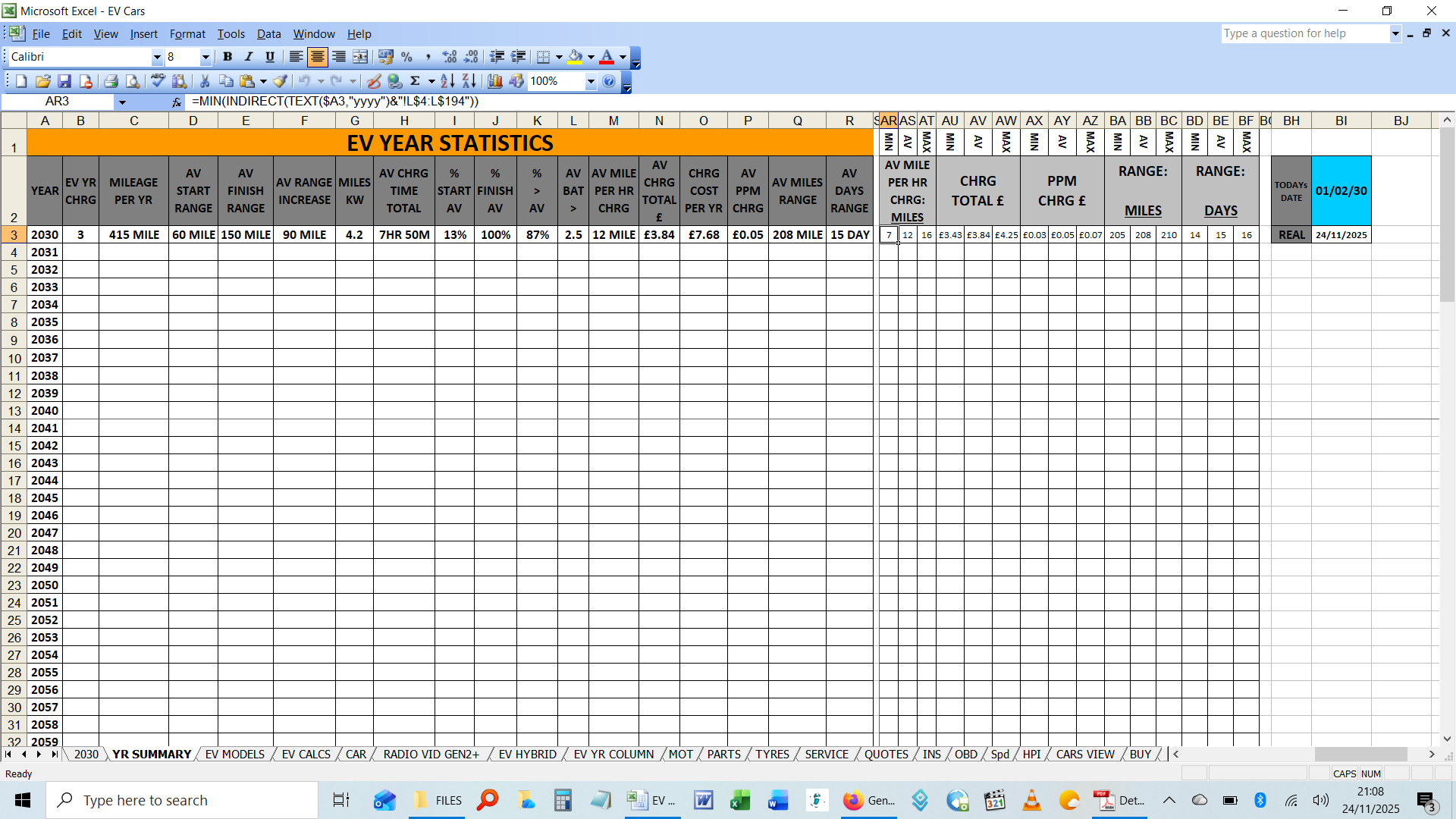
Summary TAB2 (YR SUMMARY) COLUMNS> AR:BF ROWS> 3:53
QUESTION1: Alternative of 3D ARRAY to INDIRECT?
CELL AR3: MIN YEAR
=MIN(INDIRECT(TEXT($A3,"yyyy")&"!L$4:L$194"))
CELL AS3: AVERAGEW YEAR
=AVERAGE(INDIRECT(TEXT($A3,"yyyy")&"!L$4:L$194"))
CELL AT3: MAX YEAR
=MAX(INDIRECT(TEXT($A3,"yyyy")&"!L$4:L$194"))
It works for all intensive purposes and its intent is easy to understand, edit & paste with correct use of $$! 
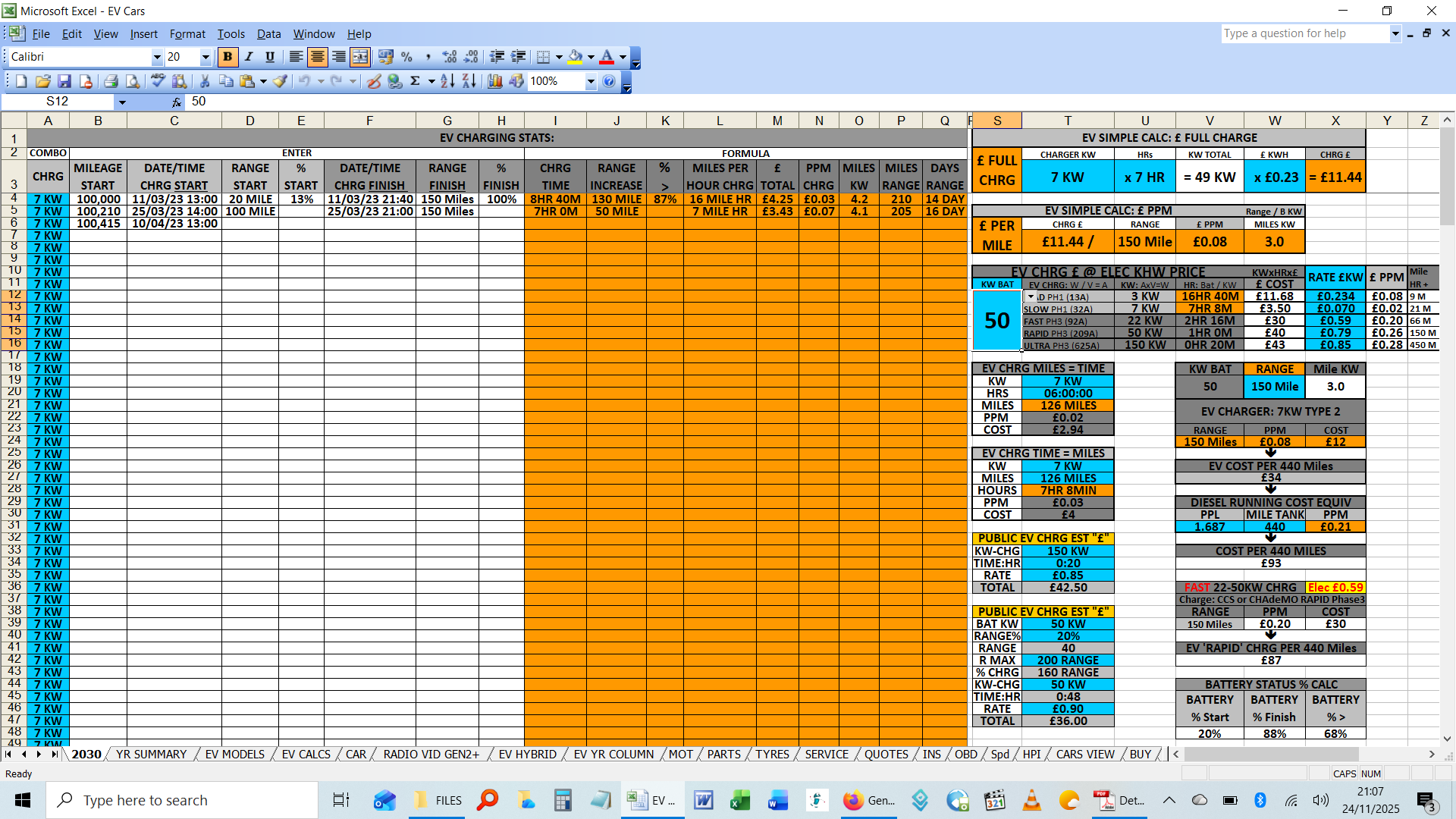
TAB1 PREVIEW:
TAB2 PREVIEW:
Also YEAR tabs that don't exist (Yet, in the Future!), obviously equation will equate to ERROR...:
#REF! is vast multiplied in subsequent ROWS
CONDITIONAL FORMATTING method, which is...far more cleaner/better (& much quicker to implement, in this case faster is the much better method!):
Hence in BLOCK TOWER of INDIRECT MIN/AV/MAX the following was applied:
SELECT CELLS WITH ERRORS
FORMAT > CONDITIONAL FORMAT: CONDITION 1 > FORMULA IS
=ISERROR(AR3)
QUESTION2: CONDITIONAL FORMAT alternative? Which is just as easy to administer to mass areas?
I've thankfully avoided following the rouse to use the dbl tap edit formula, as it makes conherent formula much harder to comprehend & edit:
=IF(ISERROR(your_formula),"",your_formula)
This would a nasty re-edit of Formulas, which re-visiting for other uses much later, may confuse. This IF is best avoided I reckon (suggestion).
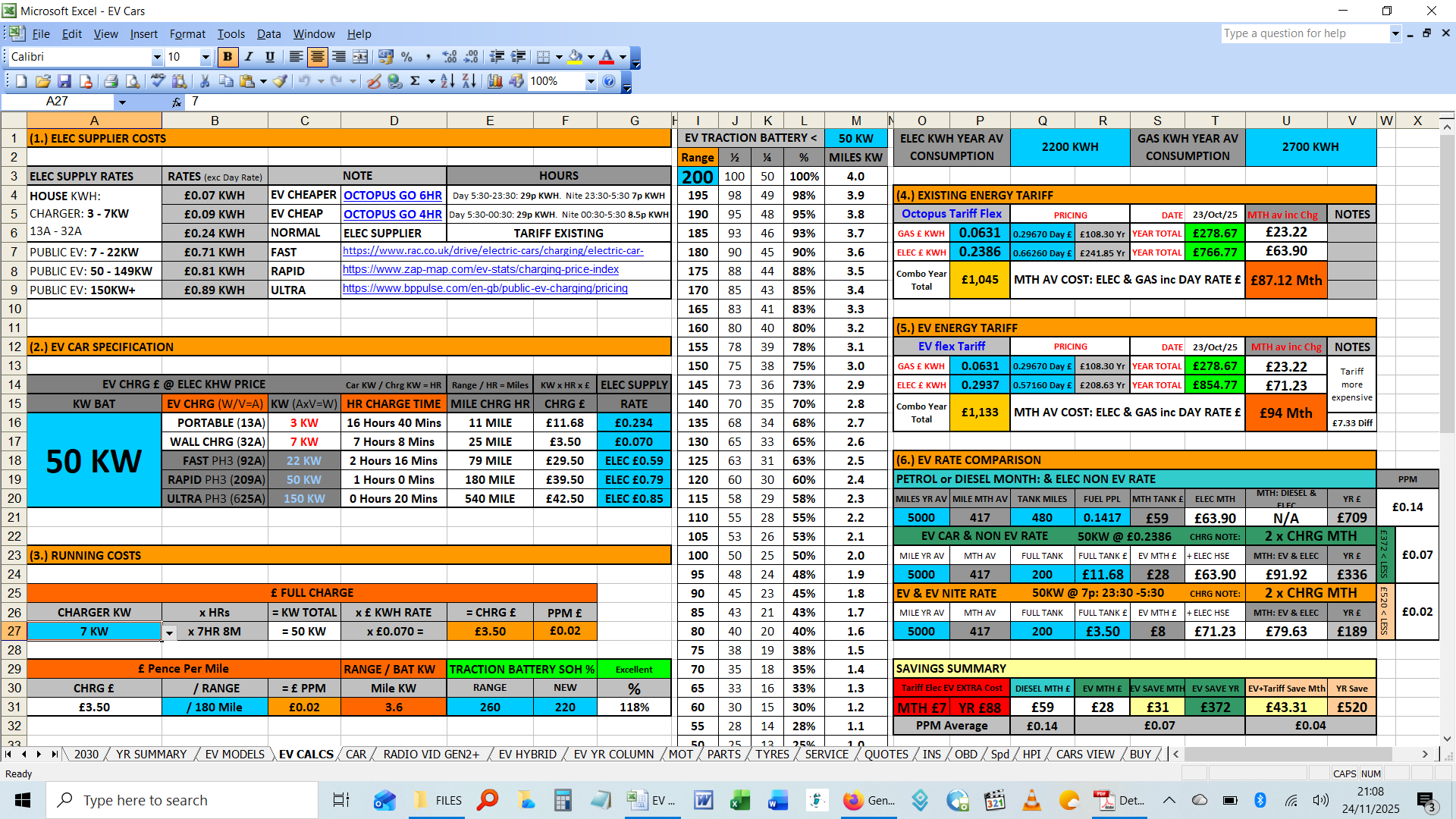
Also there are CALC via COMBO BOXES with relevant pre-determined figures, I think this best option instead of Manual entry, relying on Memory!
TAB3 PREVIEW:

TAB4 PREVIEW:
Why Ask? If done: I recognise newer version of EXCEL 2021 has some great new features such as AUTO-FILL etc, but in the world of EXCEL, it is hard to remember relevant FORMULAS & FEATURES, especially since many NAME TERMS don't reflect the purpose of capability of the Formula in other words many versatile Formulas a 1word Name doesn't really convey the Holistic nature it can perform, which is why I prefer to create in XL03, I know where the menus & features are to Start With!
Hence, Maybe you can suggest an INDIRECT alternatives + #ref! cover ups, amongst the growing mass of Menus & Functions!
Also I know what a big fan you are of Cross Threads:
But of course I have shared this File with Peugeot Forum (The Car Manufacturer), EV Forums (Electric Vehicle = Cars), as Vault Library Reference material file, hence not as a question though..
Presumably you won't want to scrutinise examine if solved, as it is finished article as is. Just don't see, an alternative that works for 3D RANGE ARRAY, & Google suggestions are clearly rouses, if you couldn't get InDirect to Work for your instances, that's all.
Cheers Stephan

Hello. Thanks for constructive critisim, I did miss it, forget to leave ref'd, as was busy adding eDocs, perhaps you can ad it to btm (a joke)! Appreciate you didn't mind me getting back to you about it sometime later, hence not letting me forget about all that.
x posts:
EXCEL FORUM + CHANDOO No worries eh.
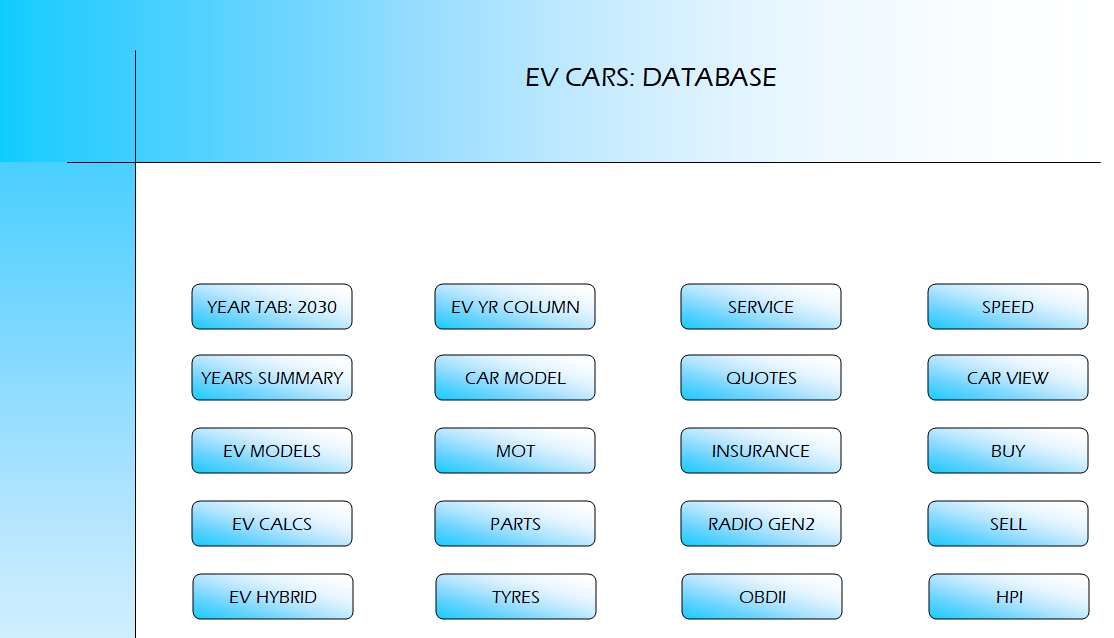
& more interestingly...UPDATE: File attached now has Super Sleek Menu! File Size 0.8MB
Simply select TAB Buttons with Mouse Left Click, return to MENU via BACK button on each TAB.
NOTES:
# TABS are hidden to add Stealth appearance: TOOLS> OPTIONS> VIEW> SHEET TABS.
# MENU BUTTONS are TEXT BOXES activated via Visual Basic Macro, such as
:
Private Sub Workbook_Open()
Me.Sheets("START").Select
'1ST TAB
End Sub
Sub YearTab2030()
Me.Sheets("2030").Select
End Sub
SOME OTHER NOTES!:
# UPDATED File not MOBILE FRIENDLY due to VB, likely unresponsive, or close.
Good News! 1st Non Updated version EV XLS FILE is MOBILE FRIENDLY!
# EV Charger installation as suggested by Manufacturer, recommend fitted by Qualified Electrician! Unless you really know what you're doing with time served confidence, & know exactly what is: CONSUMER UNIT FUSEBOX, MCB, RCD, MULTI METER, EARTH CONTINUITY, etc!
Cheers Stephan