
When I refreshed my pivot table it screwed up all of my pivot tables and attached charts. What happened and how do I prevent it from happening again?
I suspect you renamed the columns in the transaction table, so the PivotTables can no longer find the fields/columns they were referencing. You can either change the column names back to how they were, or rebuild the PivotTables.
@mynda Thank you. If I renamed them it wasn't intentional... I'll check and see.
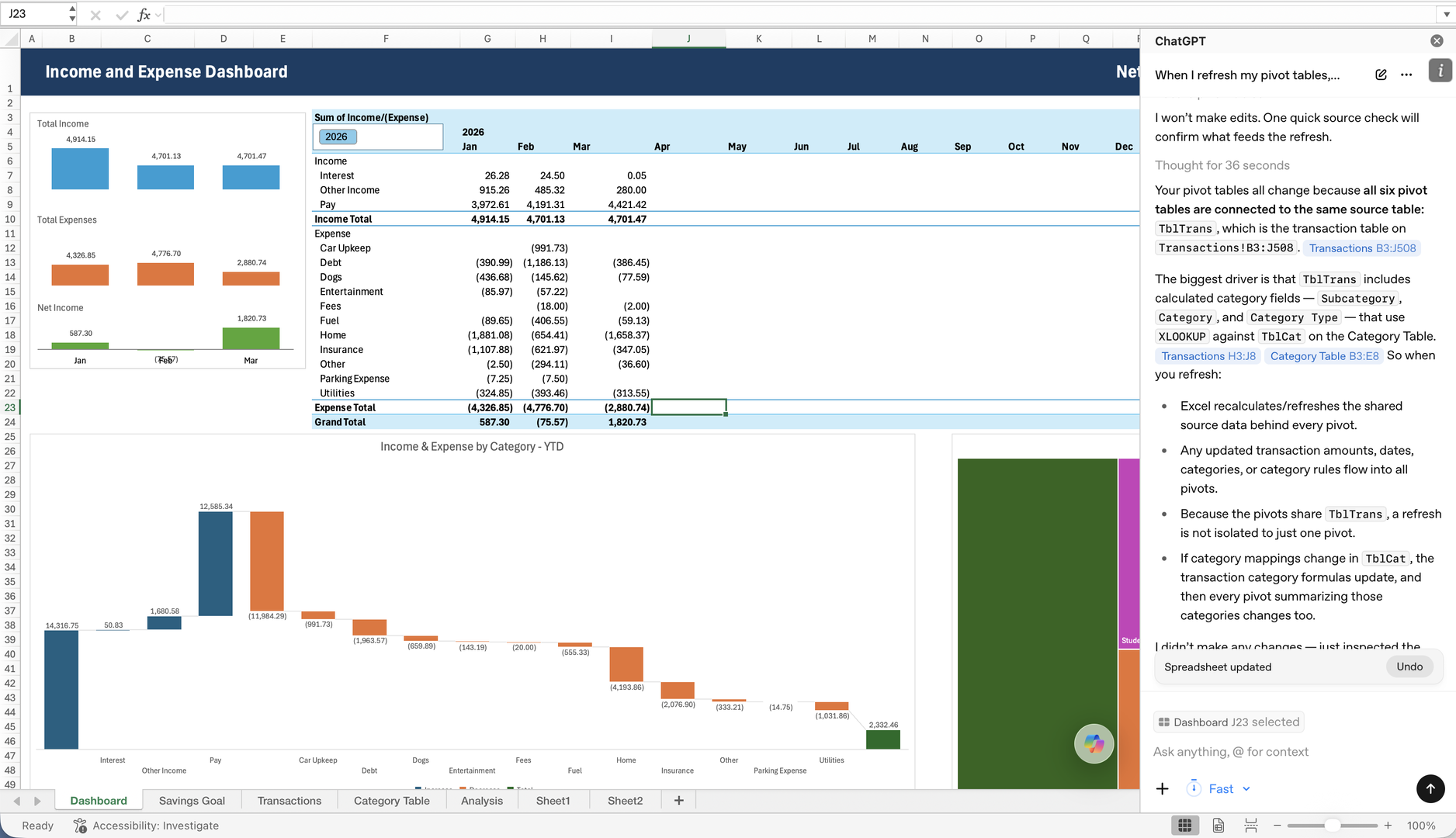
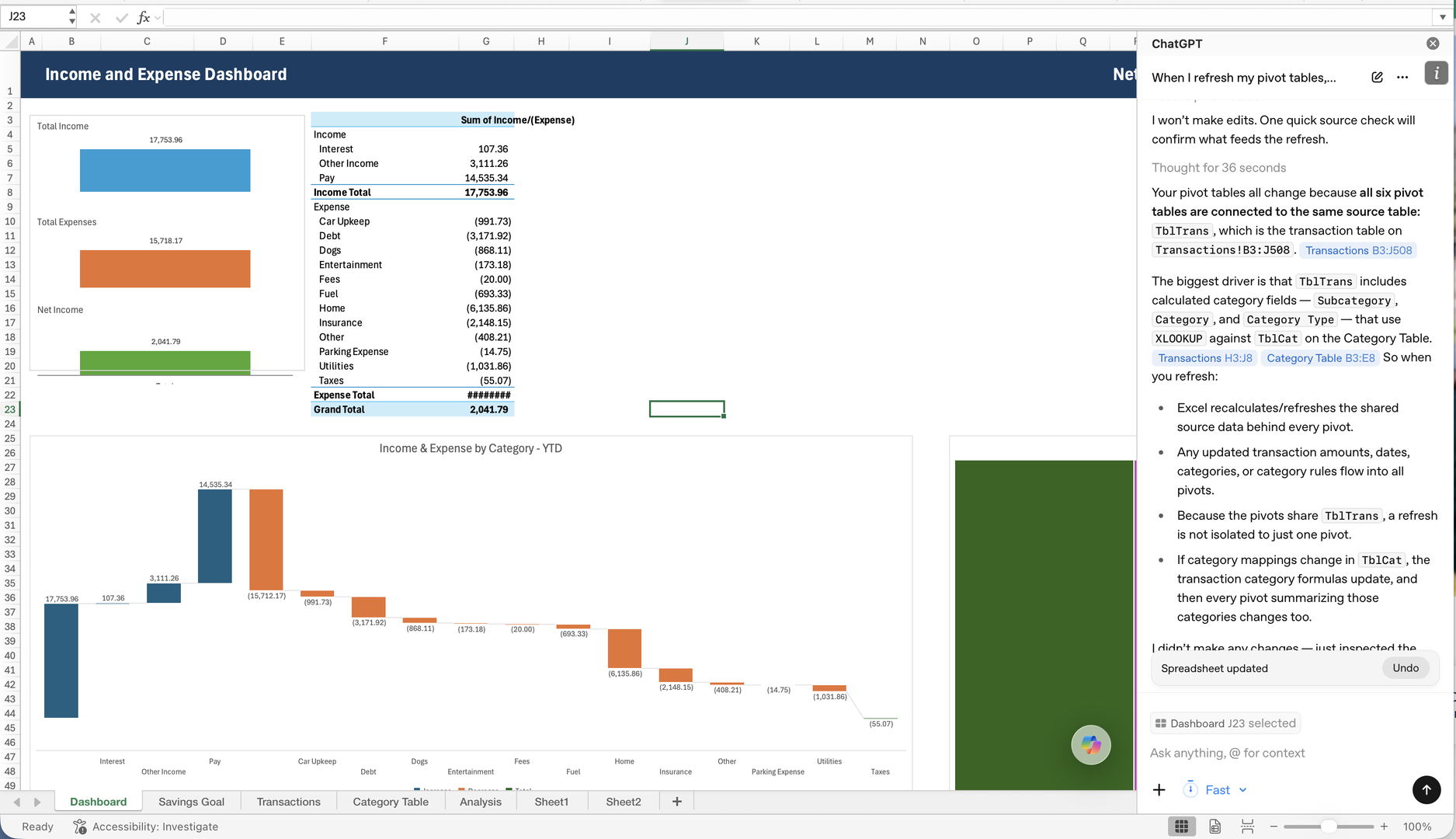
I went back and completely rebuilt my pivot tables and from what I can tell, everything is exactly the way you showed in the video. However it's still doing the thing.
I've attached screenshots of my pivot tables on my dashboard before and after refreshing them, as well as the latest installment of my excel file. Please help!

Not sure why it went wrong but you did not have any Date fields in either the pivot table (PT) or the pivot charts (PCs).
The PT requires both the year and month portion of the Date field. Normally, these date groups are done automatically. Dragged the date in the column area of the PT. The Month(Date) appeared automatically, but not Year(Date). So, I grouped that one manually.
Then I could also drag the Month(Date) field into the PCs.
Tested a refresh by adding a fake income entry for May. Refreshed and all seems OK. See attached.
Thank you! it looks like it's running normally now. I built it using a MacBook and I'm thinking that's why I had so much trouble. I've been an Apple girl for years so I'm not terribly familiar with Excel beyond the basics but since it's so widely used I'm trying to improve my skills. I'll reach out if I run into more snags. Thanks again!
So it isn't collapsing on itself, but it doesn't seem to be breaking down all my expenses for April. April only shows one line... interest of 27.29. No pay, other income, or any of the expenses. Why might that be happening?
OMG It's because I haven't inputed all of my data yet. Nevermind lol 🤣 🤣 🤣