
Hello everybody,
My name is Rafael Oliveira, and I am a person who has had a long-term interest in Excel. I wanted your help regarding a doubt that involves 2 formulas to use in multiple columns of the same row (but never in the same column). For example, column 3 of the row uses a specific formula, while column 4 uses the other formula that I intend to use. This is regarding the creation of a sports league (with fixtures, results and a league table respectively). Could you help me with this? I will send here both the Excel document and a Notepad document that highlights the row in question and the formulas to use. And I was attempting to do a flash fill of the formulas in question without needing to do it manually, but as it came wrong, I wanted to know if you could help me with this.
With best regards,
Rafael Oliveira

@ralphol07
I carefully looked at your schedule and txt file but do not understand your intentions. Can you please indicate what results you expect and where, rather than just stating that there is “an error here”.
@riny Hello Riny,
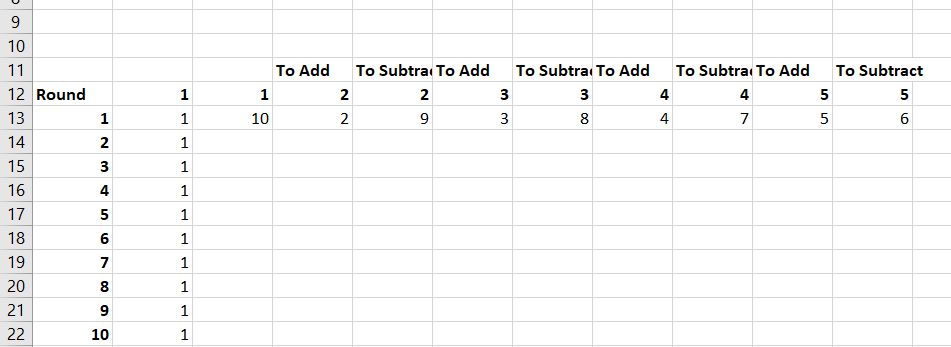
Sorry for only replying now, but I saw that by selecting the 2 cells with the different formulas rather than just 1, and dragging them across the column, the results from the formulas come up correctly. I will show here the results from them (and thank you for your reply in advance).
With best regards,
Rafael Oliveira